
Discover all the powerful capabilities of our elegant radio player
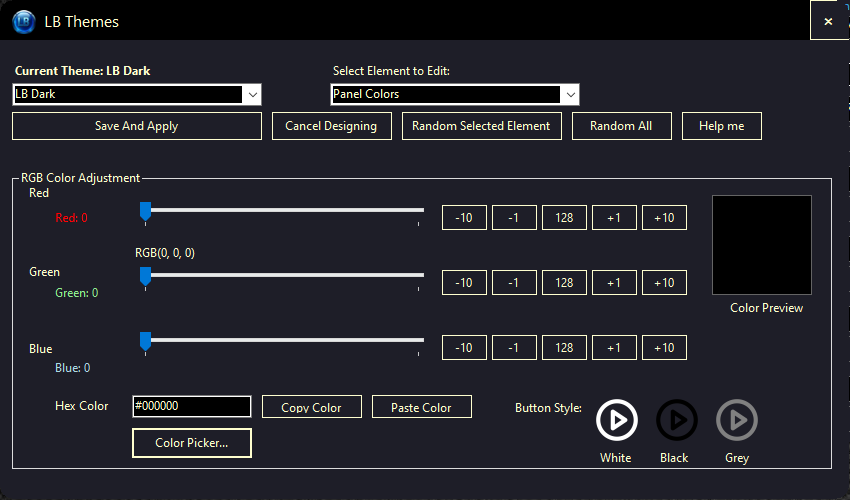
Make Live Beats WebRadio Player truly yours with our extensive theme customization options:
Our theme editor gives you complete control over colors, and style without compromising functionality.
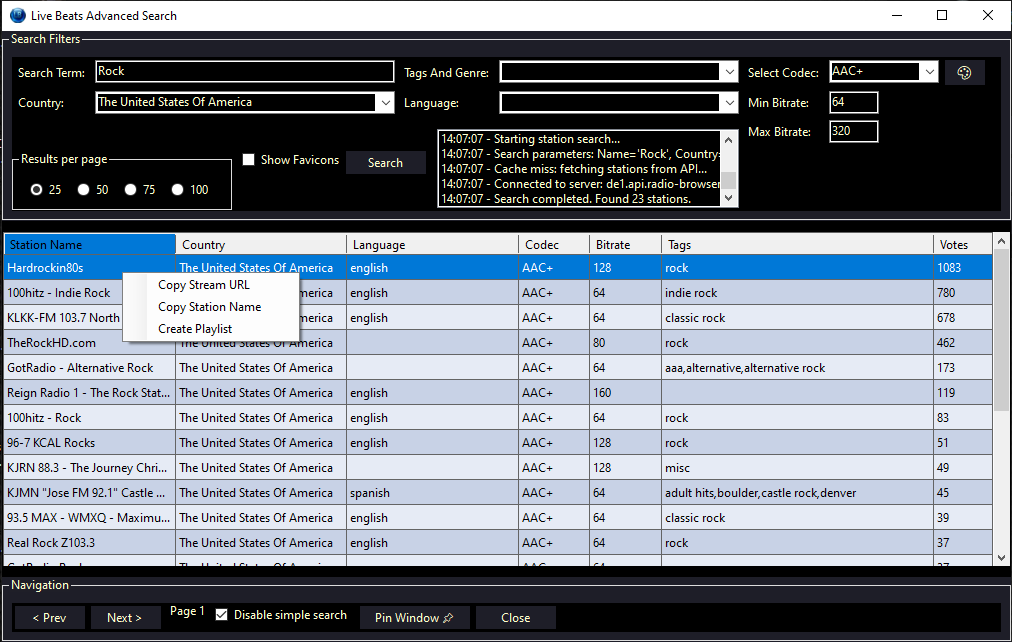
Discover new stations and manage your favorites with our powerful station browser:
Finding your perfect radio station has never been easier!
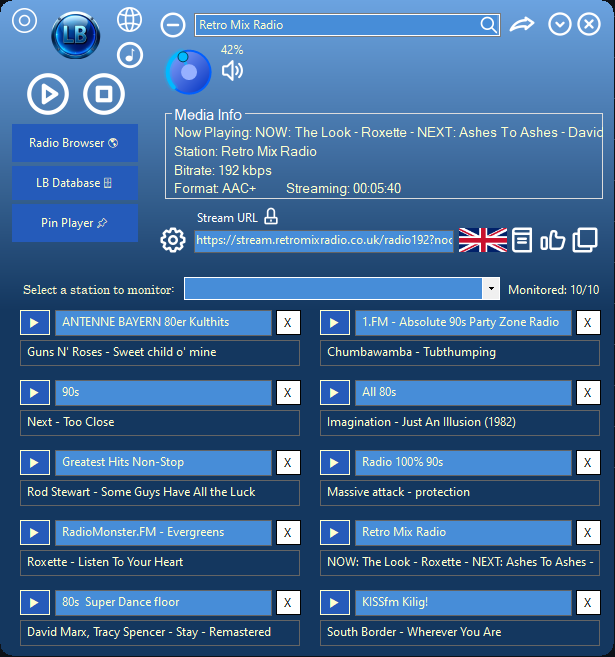
Keep track of multiple stations simultaneously with our unique monitoring feature:
Never miss your favorite songs again no matter which station they play on!
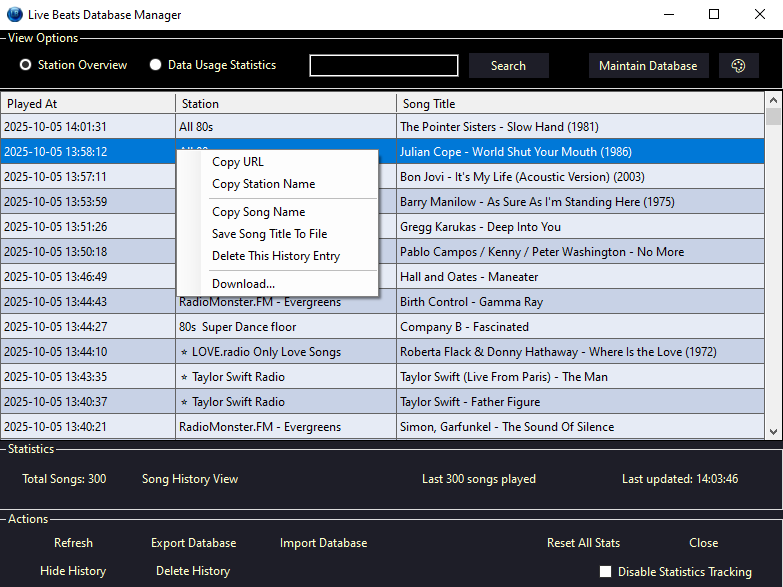
Track your listening habits with comprehensive statistics:
Gain insights into your listening patterns and optimize your radio experience.
Save song information with a single click to create playlists or shopping lists. The watch-guard will detect before you save if it's a duplicate
Set a sleep timer to automatically stop playback after a specific duration. Fall asleep soundly while listening to your favorite music knowing that the player will stop all operations at the given time
Volume control, mute function and switching stations quickly with your favorite stations in the drop down. Just press play when you open the player to play a random station from your favorites!
Import M3U, PLS, and other playlist formats with drag-and-drop simplicity. Export the current playing station to make a .pls with the click of a button
Easily download all the songs in your saved songs file and song history by using slsk-batchdl with the help of the SoulSeek setup that creates instructions with your preferences
Keep the player visible while working in other applications
Monitor up to 10 stations for what's playing without connecting to the stations. See a song you like? Just click the play button next to the radio station to start playing!
Continuous improvements and new features to enhance your experience
Download today and transform your internet radio listening experience.
Download Now