Internet radio
without the noise.
Live Beats WebRadio streams thousands of radio stations and podcasts from around the world in a clean, fast Android app. No account required. No ads.
The app in motion.
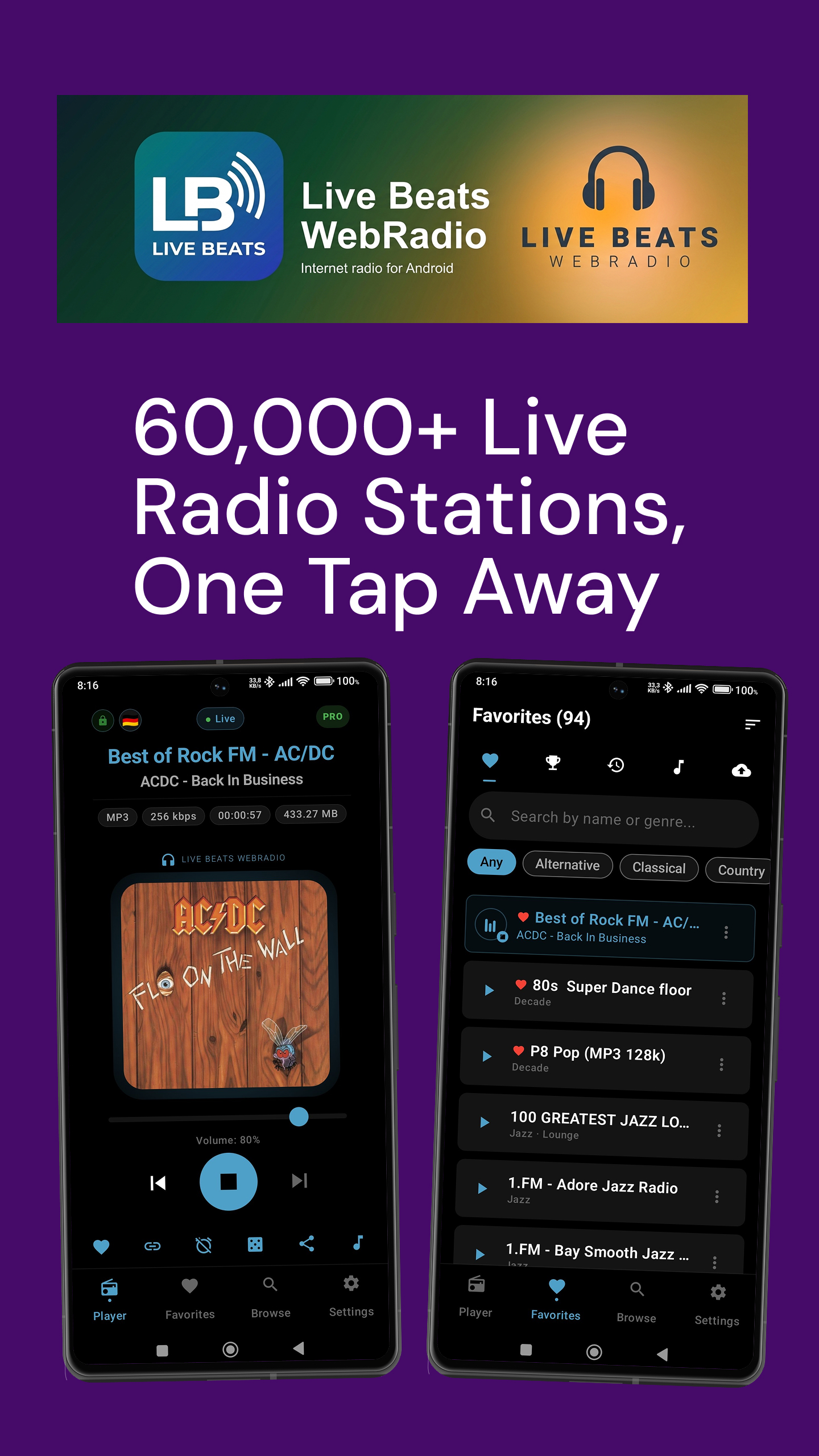
A quick tour of the player. See your favorites and the discovery screen. Scroll or swipe through.
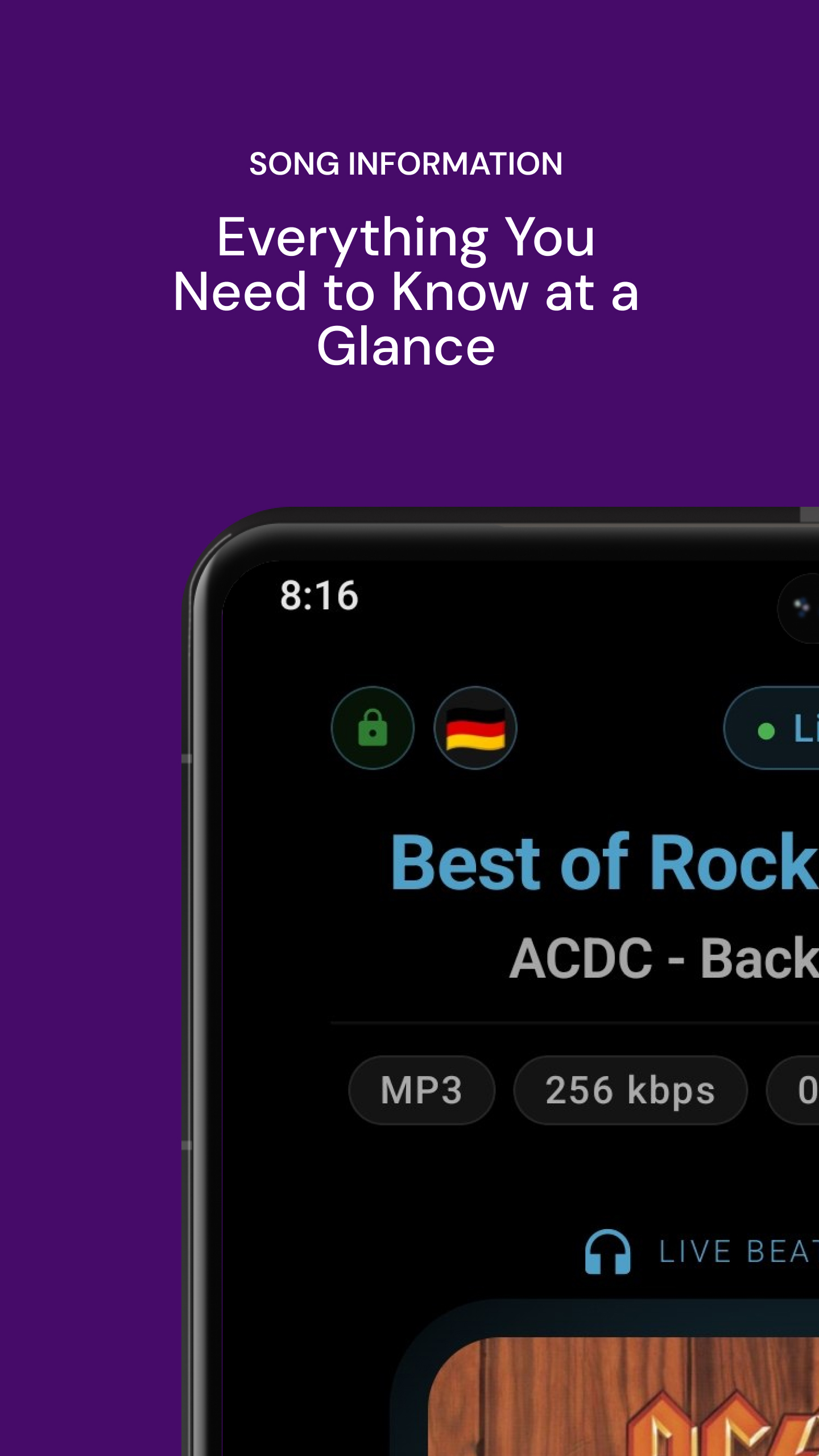
Meta Data
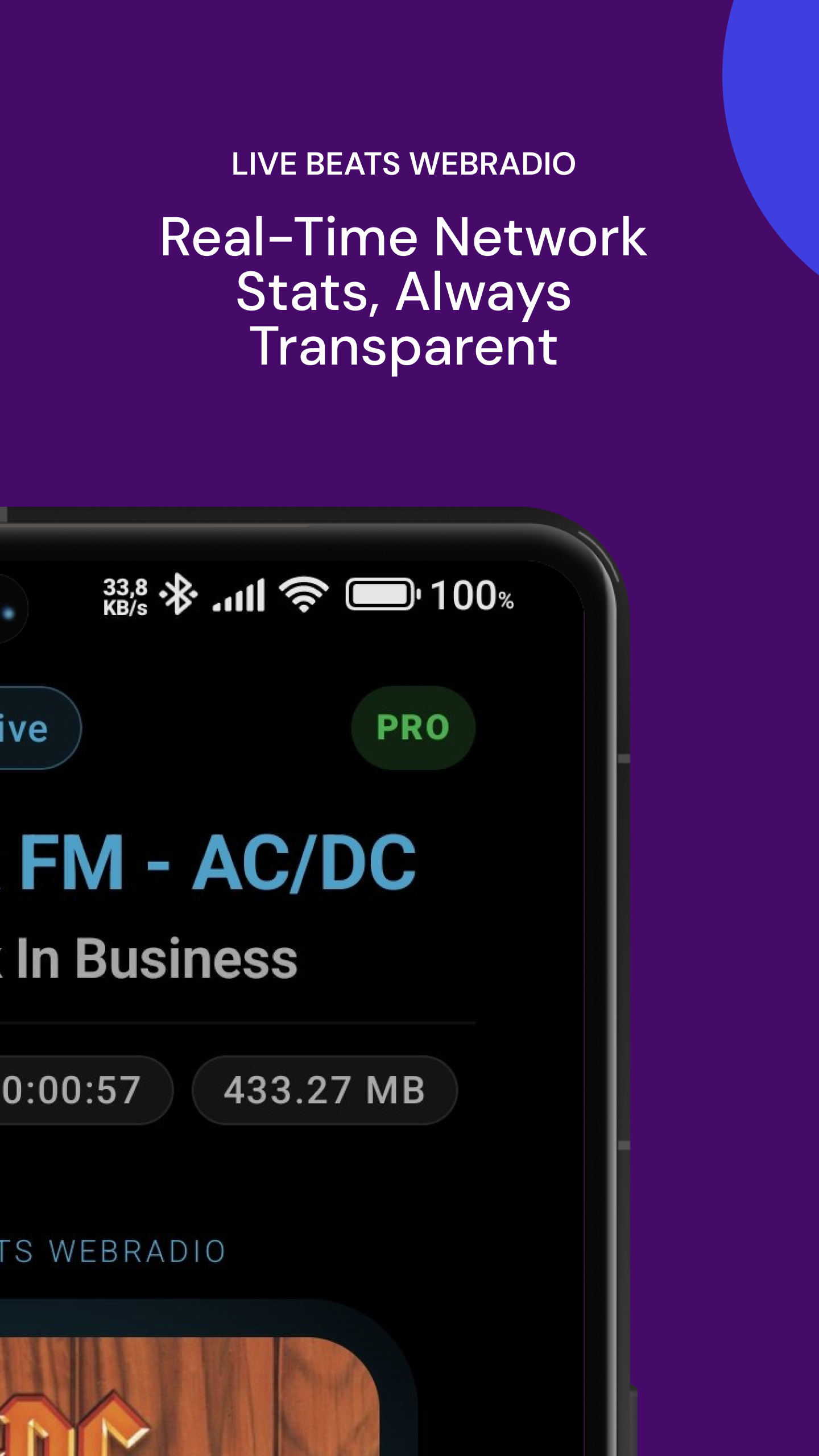
Data Usage
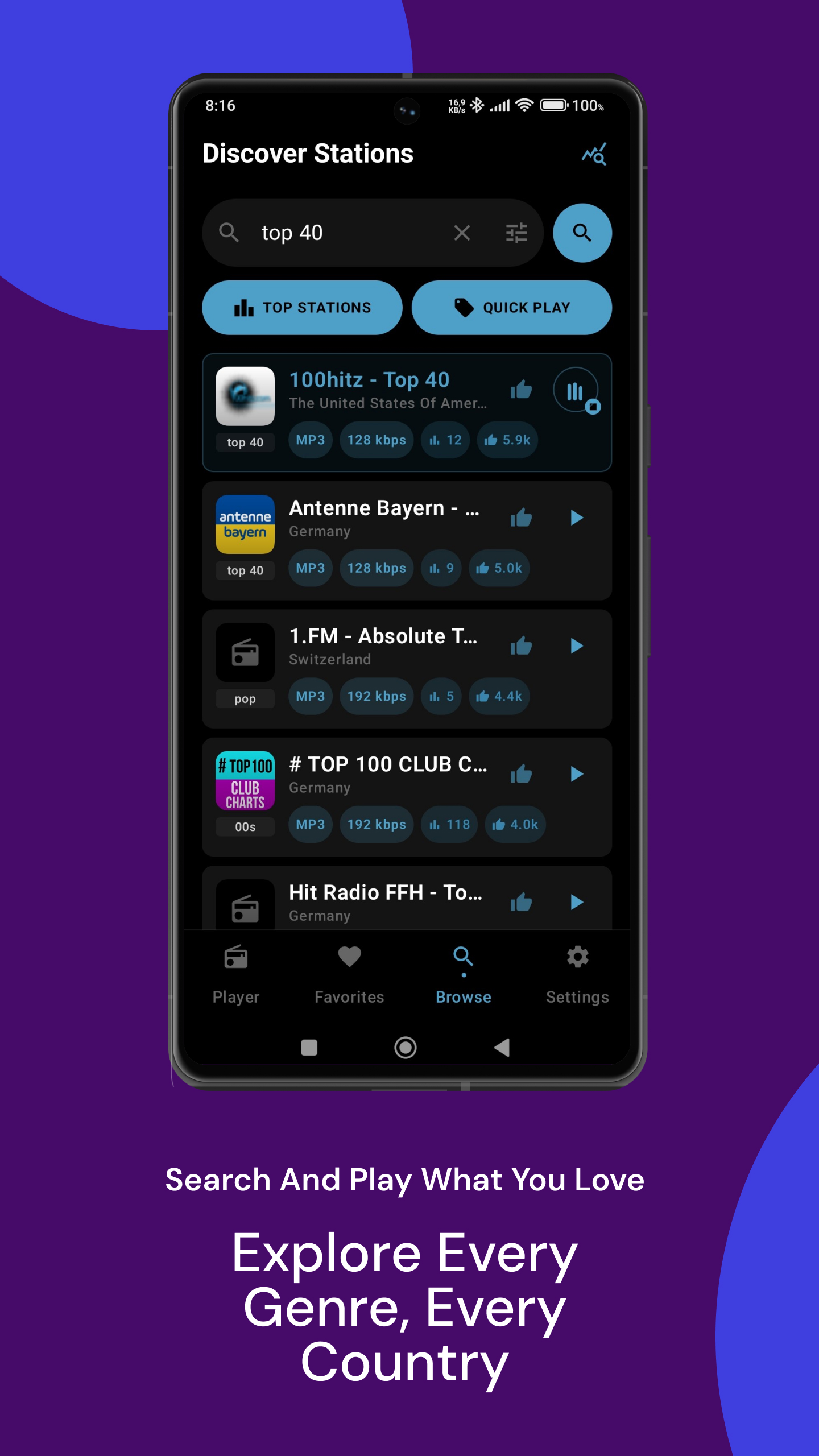
Discover
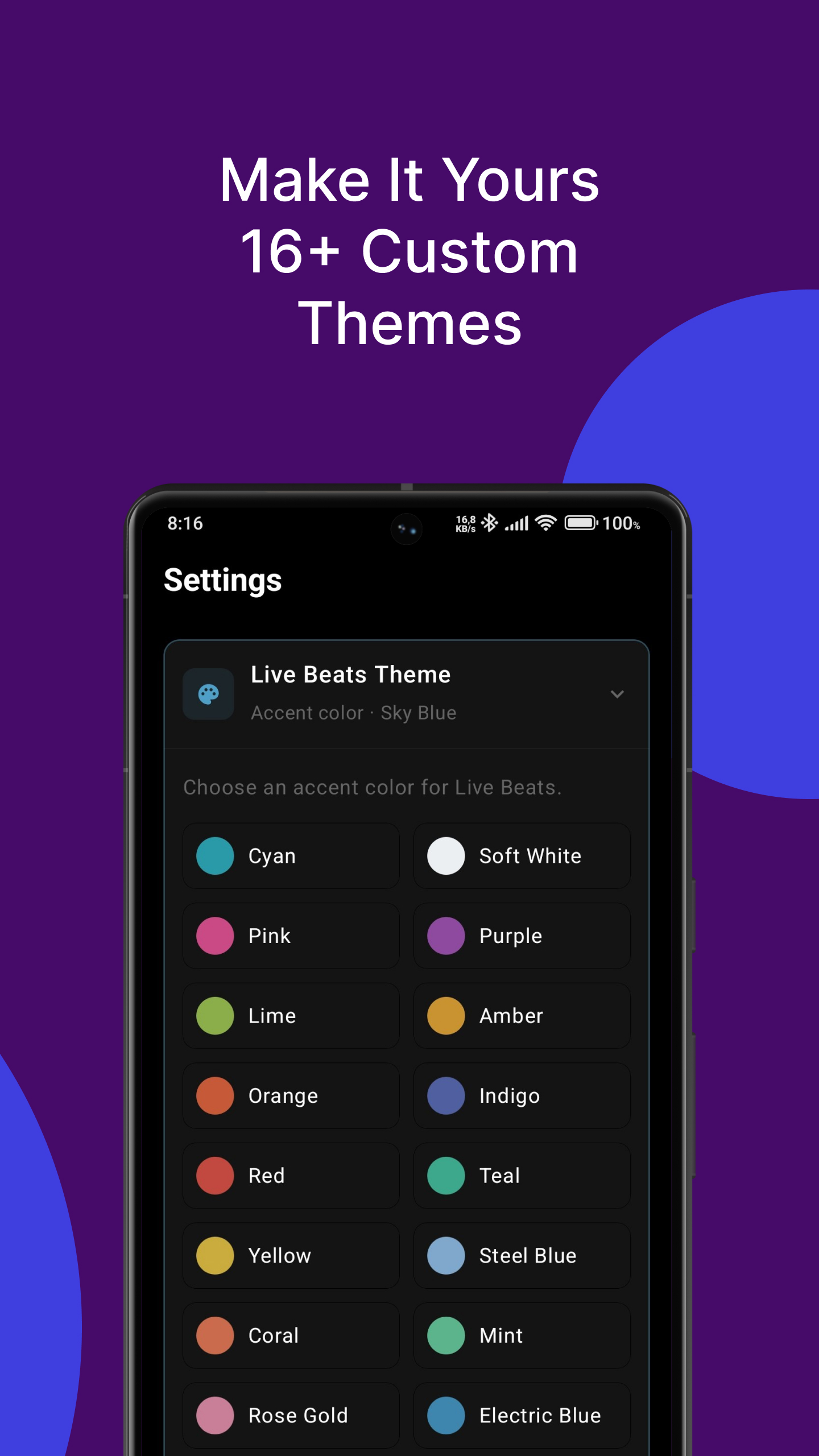
Settings
Podcasts
← swipe or scroll →
Built for listeners, not algorithms.
Every feature is there to make listening easier. Built for listeners, not algorithms. Your battery and data plan go to the stream and not to someone else's benefit.
Browse offline
A local cache of 50,000+ stations means you can search and pick something new even without a connection.
Favorites, history & backup
Save the stations you return to. Sort them your way. Back up your whole library to move it between devices.
Sleep timer
Set the app to stop playback after a set time. Fall asleep to the radio without it running all night.
Data usage tracking
See exactly how much mobile data your listening uses, broken down by day, month, or year.
Quick Settings tile
Control playback straight from your notification shade without opening the app.
Add any stream URL
Not in the directory? Add a direct stream URL manually and play it like any other station.
Light on your device
A lean app with no bloated background services. Just the player, running when you need it.
Stream securely
Turn on HTTPS-only mode to block unencrypted streams. Handy peace of mind on public Wi-Fi.
Podcasts included
Top charts, 50+ genres, and full show search — no separate app needed.
Episode details at a glance
Duration, file size, and release date shown clearly before you tap play.
Tap a genre, discover more
Every genre tag on a podcast is a shortcut to more shows just like it.
Downloads that don't quit
Podcast downloads keep going in the background, even through a dropped connection.
26 accent colors, one tap away.
Pick the accent that matches your mood or your phone's wallpaper. It's a small detail. But it's yours to set. Nothing is chosen for you.
Try it — tap a color to preview it here.
Purple
Organize your way.
The Favorites tab isn't just a list. It's a hub built around how you actually listen.
Your own personal Top 10
Auto-curated from your real listening habits. It updates itself as your taste does. Not a static "recent" list.
Drag to pin
Drag a station to the top of your list and it's pinned as a Super Favorite. Drag it back down to unpin it. No extra menus.
Genre chips built from your library
A filter row generated from the genres in your favorites. It grows and changes as your library does.
Your discovery diary
Tap the note icon while a song plays to bookmark the title. No account needed. Long-press any entry to copy it for searching on Spotify or YouTube later.
Podcasts, right next to your stations.
Shows live in the same app as your radio stations, with the same offline-first approach: browse charts, queue episodes, and download for the road.
Charts & genres
Top-charting shows for your country, switchable in a tap. Browse over 50 genres, from True Crime and Comedy to Tech News and Self-Improvement.
True offline listening
Episodes download in the background and survive a dropped connection or a closed app. Once downloaded, playback uses zero data. Delete with a tap when you're done.
Listen Later & history
Queue up episodes and reorder them however you like. A 30-day history remembers exactly where you left off, whether it's a download, a queued item, or something you played last week.
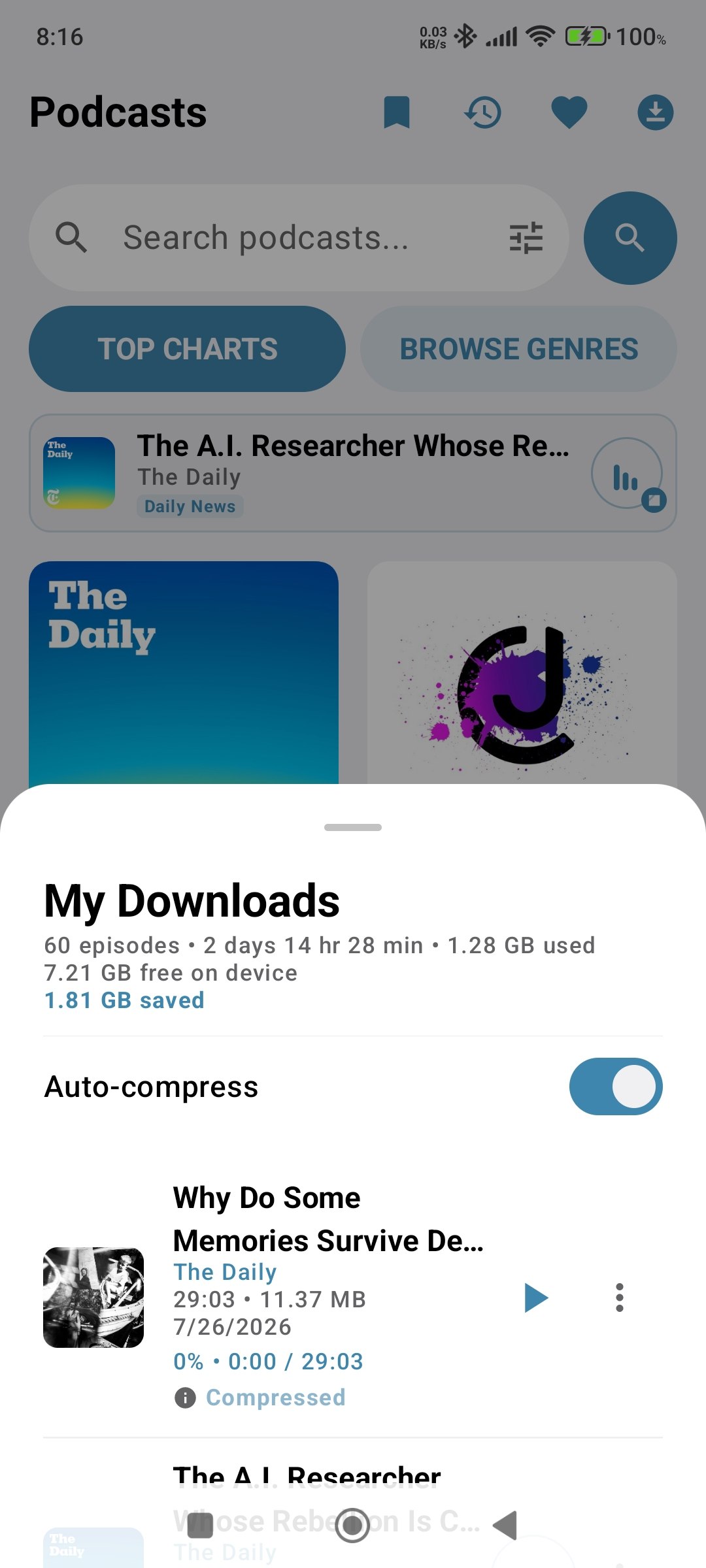
Shrink episodes without shrinking quality.
Downloaded episodes can be compressed on-device, often cutting file size by 50% or more while keeping vocals clear. Flip on auto-compress and every new download is optimized the moment it arrives — nothing to remember.
The downloads screen doubles as a storage dashboard: your device's free space alongside a running total of exactly how much room compression has saved you.
Search fast. Support the stations you love.
Live Beats plugs into the open Radio Browser directory. Thousands of community-run stations, searchable in an instant, and your plays and votes actually count.
Instant results
Search requests race across multiple directory servers at once. Whichever answers first wins, so a lagging mirror never slows you down.
Help niche stations climb
Every play you make counts toward a station's global popularity. You can also cast a vote once every 24 hours to help your favorites rank higher.
See the ecosystem in real time
A built-in stats dialog shows live totals across the whole directory: stations online, countries, languages, and how many people are listening right now.
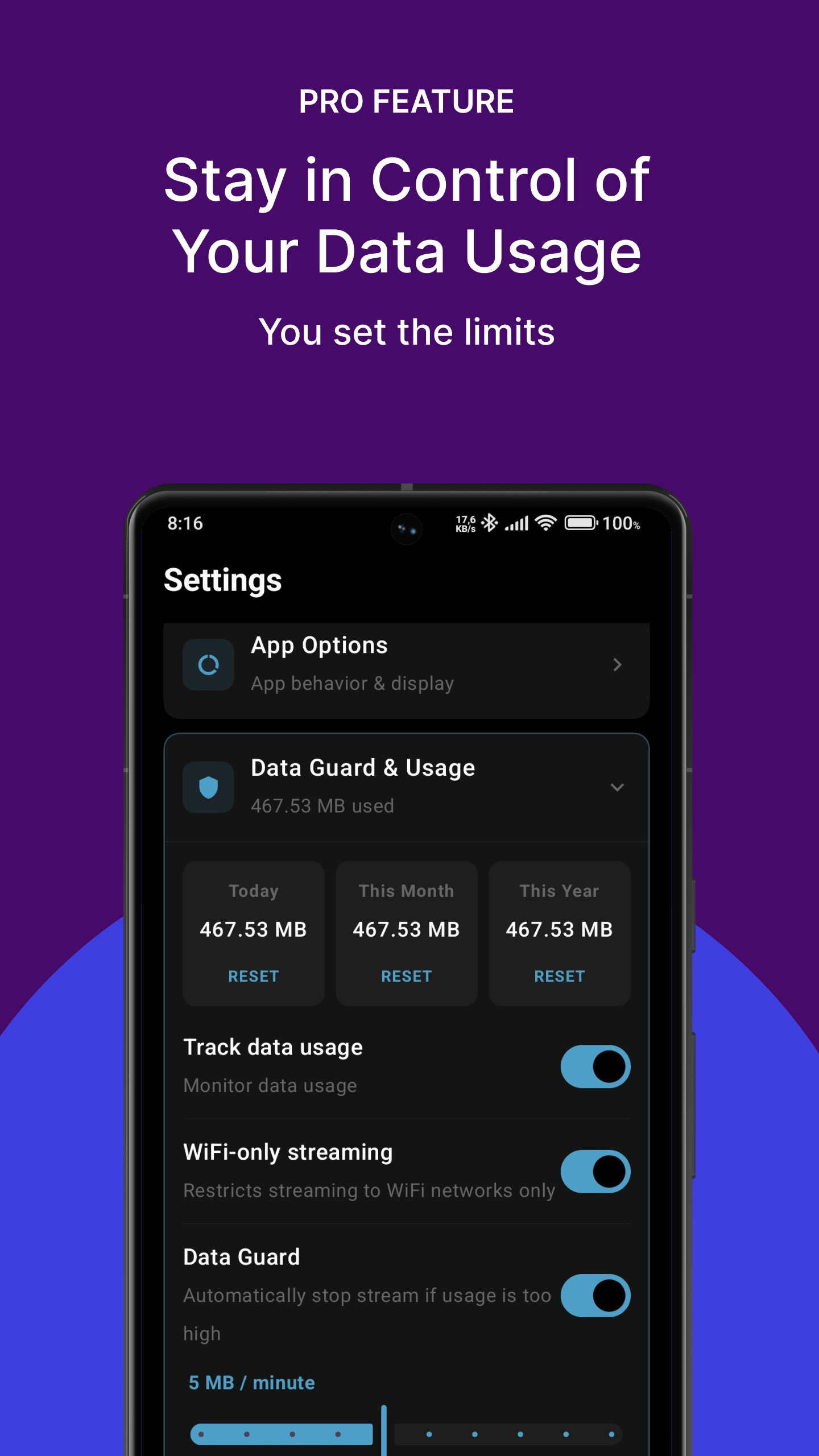
Never get blindsided by a data spike.
Data Guard watches your streaming in real time using a rolling 60-second window. The moment your usage jumps past the limit you've set, playback stops automatically before it turns into a surprise on your data plan.
Dial in your own sensitivity anywhere from 1 to 50 MB per minute, depending on how cautious you want to be. Pair it with Wi-Fi-only mode for full control, or turn it off entirely whenever you don't need it.
Unlock your full library. Once. For good.
Live Beats is free to use, no account required. If you outgrow the free limits, a single purchase unlocks everything for life. No subscription, ever.
Google Play
- Up to 1,000 favoritesUp from the free 25-station limit
- Full library backup & restoreBackup and restore your favorites, including genre and station icons, between all your devices
- Data GuardAuto-stops playback within 60 seconds of a usage spike, at a sensitivity you choose
- Wi-Fi-only modeStream only through Wi-Fi to protect your data plan
- Full usage statsTotals by day, month, and year
- Turn off data usage monitoringEntirely, your choice
- Unlimited podcast downloads & favoritesFree keeps 1 episode downloaded and 10 favorite shows at a time; Pro removes both limits
Real accessibility, not an afterthought.
Radio should work for everyone who wants to listen. That's reflected in how the app is actually built, not just claimed.
Screen reader friendly
TalkBack announces exactly what's happening, like "Now Playing" or "Connecting." Help questions read as one block, so answers aren't a second tap away.
Scales with your text size
Every screen respects your system's large-text setting, so the app reads the way you've already set up your phone.
Clear, labeled controls
Every icon, toggle, and slider has a real description behind it — not just a generic "button" when you're using a screen reader.
No ads. No required accounts.
- Nothing to sign up for to use the app
- No ad networks, ever
- Optional crash diagnostics, on by default, toggle off anytime
- Optional HTTPS-only streaming mode
- One optional lifetime unlock, no subscriptions
- Read the full policy
Available now on Google Play.
Live Beats WebRadio is free to download, with no account required to start listening.